14 September 2026 · Updated 22 October 2026

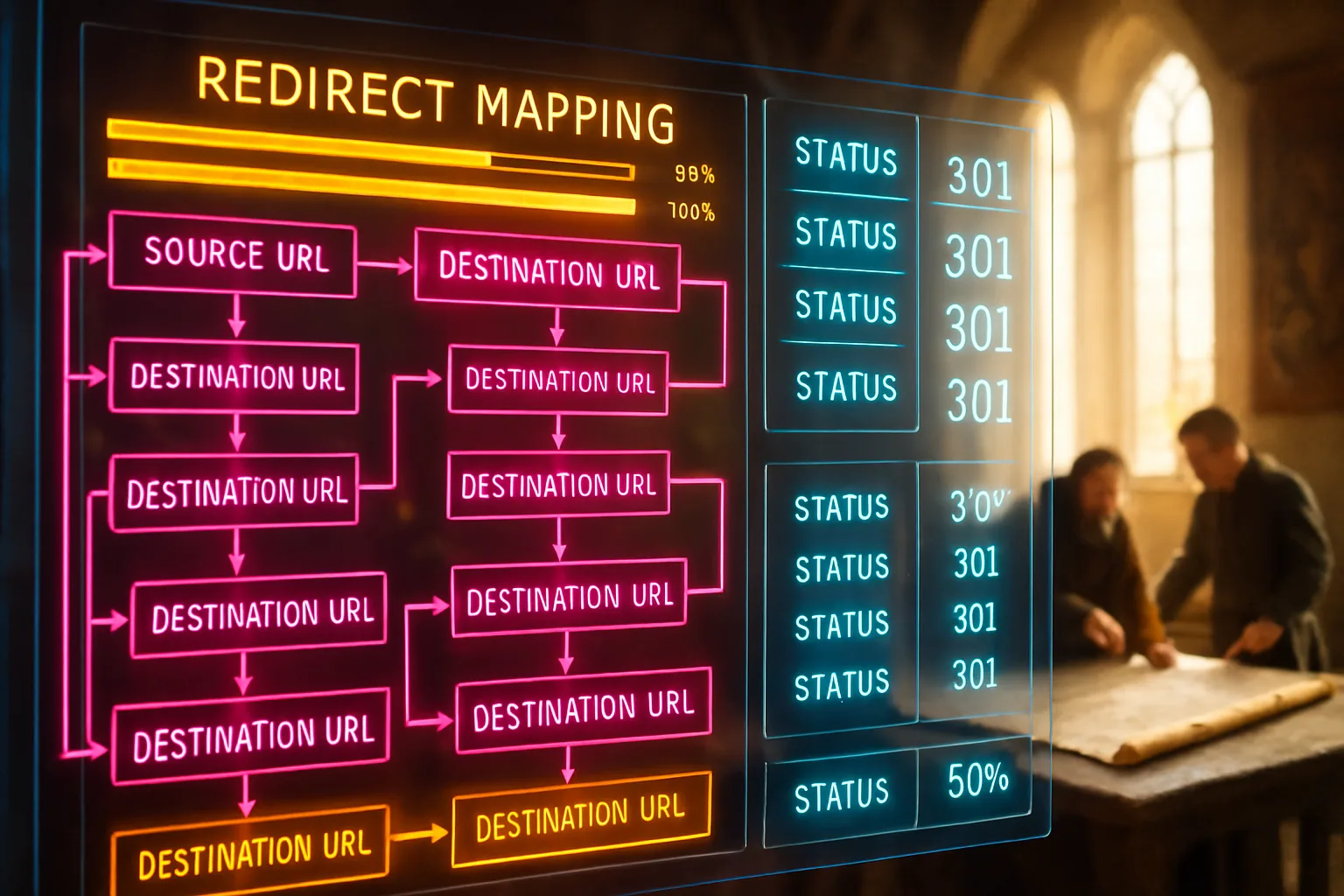
Table of Contents
A business owner in Durban spent fourteen months building organic traffic to her e-commerce store. The site ranked on the first page for eleven product searches. Then her developer moved the store to a new platform over a long weekend. By Tuesday morning, every product URL had changed. No redirects were in place. Within three weeks, nine of those eleven rankings were gone. The developer called it a normal migration dip. It wasn't a dip. It was a permanent loss of ground that had taken over a year to earn.
What is redirect mapping?
Redirect mapping is the process of listing every URL on your current site, matching it to its equivalent on the new site, and setting up a 301 redirect between the two. That permanent instruction tells Google the page has moved and passes the old URL's ranking strength to the new one. Without it, the old URL becomes a dead end.
Key takeaways
- Every URL on your existing site changing during a migration needs a redirect pointing to its replacement. Missing even a small percentage of high-traffic URLs can cause measurable ranking losses.
- A 301 redirect is a permanent signal. It tells Google the page has moved, and it transfers the ranking strength built up at the old address to the new one.
- Redirect mapping is planned before launch, not after. Setting up redirects post-migration means your rankings may already have dropped.
- Redirect chains, where one redirect points to another redirect rather than directly to the destination, slow Google down and dilute the ranking signal passed along. Keep every redirect direct.
- Monitoring after launch is as important as the map. A redirect map breaking silently on a new server causes the same damage as no map at all.
Why URLs change during a platform move

When you move to a new platform, the URL structure your old platform generated rarely matches what the new one produces. A Shopify store uses a different URL pattern to a WooCommerce store. A WordPress site built on one set of permalink settings generates different paths to the same content than a fresh installation on a new host. Even moving from one WordPress theme to another can restructure category and product paths. According to site migration documentation from Google Search Central, server-side permanent redirects from old URLs to new ones are the recommended approach once your mapping is ready and your new site is live.
The problem compounds quickly. A site with two hundred pages might have two hundred new URLs. Each one changing without a redirect becomes a broken path for Google and for anyone who bookmarked, linked to, or shared that address. Internally, it also breaks your own navigation, so page authority flowing through internal links stops reaching the pages needing it. The result is a site appearing complete to a visitor but reading as fragmented to a search engine.
How to build a redirect map before launch
A redirect map is a spreadsheet. Nothing more complex than that, though precision counts enormously. Your two columns are the old URL and the new URL it maps to. A third column recording the HTTP status of the old URL after the redirect goes live is useful for post-launch checking.
Start by crawling your existing site before any migration work begins. A crawling tool such as Screaming Frog or Sitebulb pulls every URL the site currently contains, including pages you may have forgotten. Export that list and keep it. This is your source of truth. The crawl also surfaces pages returning errors already, which you can deprioritise or clean up rather than redirect.
Once you have the new site's URL structure mapped out, work through the old list and match each page to its new equivalent. For most pages, the match is straightforward: the old product page maps to the new product page. Where a page has no clear equivalent because the content was consolidated or removed, you redirect to the closest thematically relevant page, or to the category level above it. Redirecting to the homepage is a last resort and should be used sparingly. Google's own guidance notes a redirect chain creates compounding issues, so keep the mapping from old URL to new URL in a single step. The redirect checking tool from The Tech SEO is useful for verifying each redirect resolves directly without creating a chain.
The table below shows the three redirect scenarios you'll encounter in a typical migration.
| Old URL status | Situation | Correct redirect target |
|---|---|---|
| High-traffic page | Content moved to new URL | Direct 301 to exact new equivalent |
| Low-traffic page | Content consolidated elsewhere | 301 to closest thematic match |
| Removed page | No equivalent exists | 301 to parent category or closest topic |
| Already a 404 | Broken before migration | No redirect needed; document and discard |
| Redirect chain | Old URL redirected to another old URL | Flatten to direct 301 to final destination |
The 301 redirect and what it does for your rankings

A 301 redirect is the HTTP status code a server sends when a URL has permanently moved. When Google's crawler follows a link to an old URL and receives a 301 response, it understands the destination has changed and updates its records. The ranking strength associated with the old URL, earned through content quality, links from other sites, and time in the index, transfers to the new URL. It doesn't transfer instantly, and it doesn't transfer completely, but the signal is preserved well enough to protect most of what you've built. A page returning a 404 error, meaning it simply doesn't exist, transfers nothing.
The instruction to use server-side 301 redirects rather than JavaScript-based alternatives or meta refresh tags is consistent across Google's published guidance. JavaScript redirects are unreliable because Google processes JavaScript more slowly than HTML, which means an old URL may sit unresolved for days or weeks while the crawler waits to process the page. The 301 redirect approach recommended by Google is applied at server or configuration level before the new site goes live, so the redirect is in place the moment Google next visits the old address.
One concern coming up regularly in Google's office hours transcripts is whether old URLs continuing to appear in search results after a migration signals a problem. The January 2023 office hours transcript clarifies Google sees the canonical URL has shifted when the redirect is active, and old URLs appearing in search for those specific queries is expected behaviour during the transition period. It isn't a sign the redirect has failed.
Redirect chains and redirect loops: what breaks silently
A redirect chain occurs when an old URL redirects to a second old URL, which then redirects to the new URL. This happens when a site has been migrated before, or when redirects were built incrementally over time and never cleaned up. The result is Google following two or three steps instead of one. Each step adds processing time and introduces the possibility of the signal being diluted before it reaches the final destination. The migration step-by-step guide from BrightEdge names redirect mapping as the most critical step in a migration, precisely because chains and loops are so easy to introduce and so easy to miss.
A redirect loop is worse. It occurs when URL A redirects to URL B and URL B redirects back to URL A. The browser, and Google's crawler, stop when they detect the loop. The page returns an error. If the loop involves a high-traffic URL, you'll see the impact in your rankings within days.
Both failures are found during pre-launch testing rather than after. Once your redirect map is implemented on the new server, crawl the old URL list again and check each one resolves to the correct destination in a single step. Any chain appearing gets flattened: the old URL is updated to point directly to the final destination, skipping the intermediate step. Audit tools can flag chains automatically, but the correction is manual work in your configuration file or server settings.
What to monitor after launch

The redirect map going live isn't the end of the process. Monitoring in the weeks after launch tells you whether the redirects held, whether Google has recrawled the key pages, and whether any URLs were missed. Three sources give you that picture.
Google Search Console, the free tool Google provides to website owners, shows you which pages Google has crawled and indexed. If important old URLs start returning errors in the Coverage or Pages report, the redirect for that URL may have broken or been misconfigured. You can also check the Index Coverage section for a spike in 404 errors, the clearest signal redirects are failing.
Your organic traffic data in Google Analytics tells you whether ranking positions are being maintained. A sharp drop in traffic to specific pages shortly after launch, combined with a spike in 404 errors in Search Console, confirms a redirect problem rather than a ranking shift caused by content or algorithm changes.
Checking for geo-IP redirect conflicts is worth doing on sites serving multiple regions. The August 2024 Google SEO office hours transcript covers how geo-IP redirects, where visitors in certain countries are automatically sent to a regional version of the page, can interfere with Google's crawlers and cause the wrong URL to be indexed for a region. If your new platform introduces location-based redirects, test carefully so Google's crawler isn't being sent to a different destination than your main content.
An honest migration services overview from a specialist team will tell you post-launch monitoring for at least four to six weeks is standard practice. Rankings don't settle overnight after a migration. Some movement is expected. Sustained loss on specific pages, rather than a temporary dip across the board, points to a redirect problem worth investigating.
Closing reflection
The damage from a missed redirect doesn't announce itself on launch day. It surfaces slowly over weeks, as Google stops passing traffic to pages no longer existing at their old addresses. By the time the drop is visible in the data, the ranking taking months to earn may already be gone. A redirect map built before the migration launches, checked against the live server before anything goes public, and monitored for six weeks after, is the difference between a migration holding its ground and one costing you the ground you were standing on.
You shouldn't have to rebuild rankings from zero after moving to a better platform. With Zahavah Studio, you won't.
Contact Zahavah Studio to have your redirect mapping planned and audited before your next migration goes live.
Redirect mapping sits at the heart of any platform move, but several practical questions come up repeatedly from business owners planning their first migration. The answers below cover the most common ones.
Frequently asked questions
What is a redirect map and how do you build one for redirect mapping?
A redirect map is a document, usually a spreadsheet, listing every URL on your existing site alongside the URL it should point to on the new site. Building one starts with a full crawl of your current site using a tool such as Screaming Frog or Sitebulb, which exports every live URL the site currently contains. You then work through that list and match each old URL to its new equivalent on the incoming platform.
For pages with direct equivalents, the match is straightforward. For pages being consolidated, merged, or removed, you redirect to the closest thematically related page on the new site. For pages with no meaningful traffic and no inbound links from other sites, a redirect is still recommended but carries lower priority than pages earning organic visits. The completed map is handed to your developer before launch so the redirects are in place the moment the new site goes live. According to site move documentation from Google Search Central, having the redirect strategy ready before going live is the correct sequence, not a post-launch correction. A map built in advance gives you the time to check every redirect resolves cleanly before any real visitor or crawler encounters it.
Who is responsible for redirect mapping: the agency or our team?
Responsibility for redirect mapping sits with whoever is managing the migration. In practice, the SEO or digital agency leading the migration builds the map, because it requires understanding which pages carry ranking value, how the new URL structure will differ, and how to handle pages being consolidated or removed. Your development team then implements the redirects based on that map, either through server configuration, an .htaccess file, or the redirect settings your new platform provides. Your internal team's role is to flag any content decisions affecting the map, such as pages being deliberately discontinued or product lines being removed. What you shouldn't rely on is your developer building the map independently. Developers know how to implement redirects; they rarely have visibility into which pages carry SEO value and therefore need the most careful handling. The process works best when the SEO lead builds the map and the developer executes it, with a joint check before launch. A useful starting point for managing the document is a structured redirect mapping spreadsheet tracking resolution status after the redirects go live.
Do redirects affect SEO?
A 301 redirect passes the ranking strength of the old URL to the new one. It isn't a neutral action, but it is the least damaging option available when a URL changes. The alternative, leaving the old URL to return a 404 error, passes nothing and removes the page from Google's index over time. The impact of changed URLs on SEO is well documented: without a redirect strategy, a migration changing URLs can cause significant ranking losses across the affected pages. With a complete redirect map correctly implemented, most of that ranking value is preserved through the transition. Some temporary movement in rankings is normal during any migration; Google needs time to recrawl the old URLs, follow the redirects, and update its index with the new addresses. That process tends to take four to eight weeks for a site of moderate size. The key distinction is between a temporary dip recovering and a permanent loss caused by missing or broken redirects. The former is expected; the latter is preventable with thorough mapping before launch.
Can redirects be undone?
A 301 redirect is described as permanent, but in practice it can be removed or changed if your server configuration is accessible. If you redirect an old URL to the wrong destination and then correct it, Google will eventually follow the updated instruction on its next crawl. The challenge is Google caches redirect destinations, so a correction may take days or weeks to register across all the pages it has already recrawled. A redirect pointing to a genuinely wrong destination for several weeks can cause ranking confusion on both the old and new URL during that period. Accuracy in the map before launch is more protective than the speed of fixing errors after. If you discover a redirect mistake after launch, correct it immediately in your server configuration and submit the corrected URL for re-indexing through Google Search Console's URL Inspection tool. That prompts Google to recrawl the URL sooner rather than waiting for its next scheduled visit.

Yvonne van Wyk
SEO Strategist · Zahavah Studio
Yvonne van Wyk runs Zahavah Studio, a Johannesburg SEO agency focused on long-term search visibility and AI citation. Her writing covers local SEO, content strategy, analytics, and the mechanics of how search works.
Everything on this blog is written to inform and educate. It is for information only. Nothing here is professional legal, financial, or technical advice. If you are making a significant business decision, speak to a qualified professional first. Zahavah Studio works hard to keep this content accurate and current, but is not liable for decisions made based on what you read here.