9 July 2026 · Updated 22 October 2026


Table of Contents
- What is headless CMS SEO?
- Key takeaways
- How a headless CMS changes the SEO equation
- Rendering: the decision Google cares about most
- Page speed and Core Web Vitals in a headless build
- Schema markup and structured data in a headless setup
- Meta tags, sitemaps, and crawlability
- Content management advantages for headless CMS SEO
- What a headless CMS migration checklist looks like for SEO
- Closing reflection
- Frequently asked questions
A developer in Dublin finishes migrating a retail client's website to a headless architecture. The new site loads in under a second, looks stunning on every device, and the client is delighted. Three months later, organic traffic has dropped by forty percent. Nobody can explain why. The developer didn't touch the content. The SEO agency didn't change the strategy. But something in the rebuild broke the signal Google was using to find and understand the site, and no one caught it until the damage was already done.
What is headless CMS SEO?
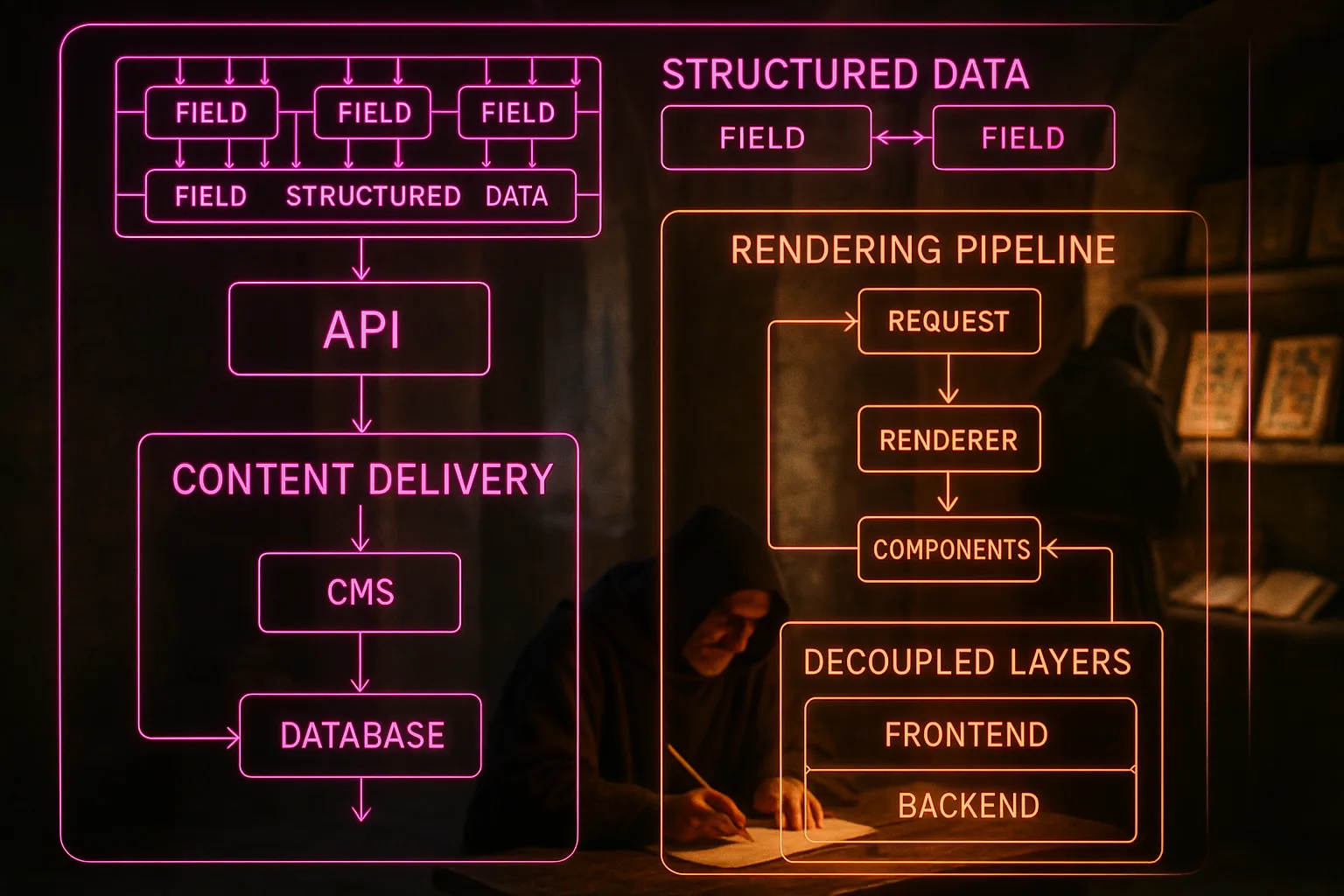
Headless CMS SEO is the search optimisation work a site needs when it's built on a headless content management system. A headless CMS stores your content apart from the frontend, the visual layer visitors see. The two parts talk through an API, a digital bridge between systems, so SEO settings a traditional CMS handled automatically must now be built deliberately.
Key takeaways
- A headless CMS doesn't hurt SEO by default, but it moves the responsibility for technical SEO from the platform to the developer.
- Page speed is one of the biggest SEO gains from going headless, but only if the frontend is built correctly with server-side or static rendering.
- Google can struggle to read content delivered entirely by JavaScript, so rendering strategy is one of the most important decisions in a headless build.
- Schema markup, meta tags, and canonical tags must be configured manually in a headless setup; none of them come pre-installed.
- Structured content in a headless CMS is an advantage for SEO once the technical foundation is solid.
How a headless CMS changes the SEO equation
The biggest shift when you move to a headless CMS is that SEO responsibility moves from the platform to the build team. In a traditional CMS like WordPress, dozens of SEO settings come pre-installed or are handled by a plugin: page titles, meta descriptions, canonical tags, sitemap generation, and redirects. When you go headless, those conveniences disappear. Every one of them must be built into the frontend from scratch.
This doesn't mean headless is bad for SEO. It means the SEO outcome depends entirely on how the frontend is built. A well-built headless site can outperform a traditional one on almost every technical SEO dimension. A poorly built one can become invisible to Google, even when the content is excellent. According to headless CMS SEO practices documented by Ahrefs, the architecture is neutral; the technical implementation is what determines whether rankings improve or collapse.
The implication for you, as the business owner commissioning a headless build, is that you need to ask your developer specific questions about SEO before the build begins, not after the traffic drops.
Rendering: the decision Google cares about most
The way your headless site delivers its pages to Google is the single most consequential technical decision in the build. To understand why, you need to know how Google reads a page. When Google visits your website, it reads the code behind what you see on screen. If that code is fully assembled before Google arrives, it can read everything immediately. If the page is built in the browser using JavaScript, a programming language running on the visitor's device, Google may arrive at an empty shell and have to wait for the content to load separately. Sometimes it reads the content eventually. Sometimes it misses content entirely.
There are three main approaches to rendering in a headless build. Server-side rendering assembles the page on the server before it reaches Google or the visitor. Static site generation builds all pages in advance and serves them instantly. Client-side rendering builds the page in the browser using JavaScript, which is the approach creating the most risk for SEO. Google's own documentation on JavaScript SEO basics confirms Googlebot can process JavaScript, but there is a delay, and content slow to render may be indexed later or incompletely.
For most businesses, server-side rendering or static generation is the right choice. Client-side rendering is fast for users but introduces real indexing risk, and the cost of that risk is your visibility in search results.
Page speed and Core Web Vitals in a headless build
Page speed is where a headless CMS can genuinely outperform a traditional one. Most traditional CMS platforms carry significant overhead: theme files, plugins, database queries, and server-side processing running on every page load regardless of whether it is needed. A headless build strips all of that away. The frontend delivers only what is necessary, and the content arrives from a CDN, a content delivery network, meaning a global system of servers so your pages load from a server close to wherever the visitor is sitting.
Core Web Vitals are Google's set of measurements for how a page feels to load. They measure how quickly the main content appears, how long before the page responds to a click, and how much the layout shifts while loading. These measurements are a confirmed part of how Google decides where to rank pages, and a well-built headless site tends to score well on all three. The Core Web Vitals framework, documented by Google Search Central, connects these load-time measurements directly to ranking signals.
The caveat is that a poorly optimised headless frontend can load more slowly than a traditional CMS, particularly if large JavaScript bundles are loaded before the page content. Page speed is a gain from headless only when the developer prioritises it.
Rendering strategy compared by SEO risk and speed impact
| Rendering approach | Google indexing risk | Typical page speed | SEO suitability |
|---|---|---|---|
| Static site generation | Very low | Very fast | Excellent |
| Server-side rendering | Low | Fast | Excellent |
| Hybrid rendering | Low to medium | Fast | Good |
| Client-side rendering | High | Variable | Risky without mitigation |
Schema markup and structured data in a headless setup

Schema markup is a piece of hidden code added to a webpage working like a label for Google. Instead of leaving Google to guess what a block of text is, such as a product price, a business address, or a review score, the label tells Google directly. That knowledge is what allows Google to display extra detail about your page in search results before anyone clicks: star ratings, opening hours, price ranges, event dates.
In a traditional CMS, schema markup is often added through a plugin. In a headless build, there is no plugin layer. Schema must be written directly into the frontend code, usually in a format called JSON-LD, a structured text block embedded in the page's code. This isn't complicated for a developer, but it must be planned and built; it doesn't happen automatically.
The good news is a headless CMS often makes schema easier to apply consistently. Because your content is stored in structured fields, where a product has a price field, a date field, and a description field, the frontend can pull those fields and build schema automatically for every product page, every blog post, and every event listing. DatoCMS's documentation on headless CMS and SEO describes this as one of the structural advantages of headless for SEO: the separation of content from presentation makes systematic schema implementation more reliable than in a traditional build.
Meta tags, sitemaps, and crawlability
Three foundational SEO requirements need deliberate attention in every headless build: meta tags, sitemaps, and crawlability. None of them are automatic.
Meta tags are the title and description appearing in Google's search results for each of your pages. In a traditional CMS, an SEO plugin manages these fields and connects them to your content. In a headless build, the frontend framework must output the correct meta tags for every page type. Most modern frontend frameworks, including Next.js, Nuxt, and Astro, have built-in ways to do this, but the developer must configure them correctly and the content team must fill in the fields.
Sitemaps are files listing every page on your website and telling Google where to find them. Google uses sitemaps to discover pages it might not find through normal browsing. A headless build needs a sitemap generated programmatically, meaning the build process creates it automatically as new content is published. If a developer doesn't set this up, new pages may not be discovered by Google for weeks or months.
Crawlability refers to whether Google can reach and read all the pages on your site. Headless builds can introduce crawlability problems through misconfigured redirects, missing robots.txt files (a file telling Google which pages to visit and which to skip), and broken internal linking. According to Agility CMS's analysis of headless CMS SEO, crawlability failures in headless builds are more common than speed failures, because they are invisible until you check deliberately.
Content management advantages for headless CMS SEO
Once the technical foundation is solid, a headless CMS gives your content team real structural advantages for SEO. Because content is stored in defined fields rather than as a block of formatted text, every piece of content is consistent and reusable across platforms. A product description written once can appear on the website, in a mobile app, and in a partner's directory feed, all from the same source. That consistency benefits SEO because it removes the risk of duplicate or mismatched content appearing across different channels.
The separation of content from presentation also means your editors work in a clean, structured environment without the distraction of visual formatting. A field for the page title is a field for the page title; there's no temptation to stuff keywords into a heading because it makes the page look bold on screen. This structural discipline tends to produce cleaner, more consistent content metadata across large sites, which is what Google prefers.
For businesses managing hundreds or thousands of pages, such as an e-commerce store, a property listing site, or a franchise network, this scalability is one of the strongest arguments for headless. Technical SEO applied once at the template level reaches every page automatically. A change to how schema is generated on product pages updates every product page at once, rather than requiring a plugin update on every individual record.
What a headless CMS migration checklist looks like for SEO
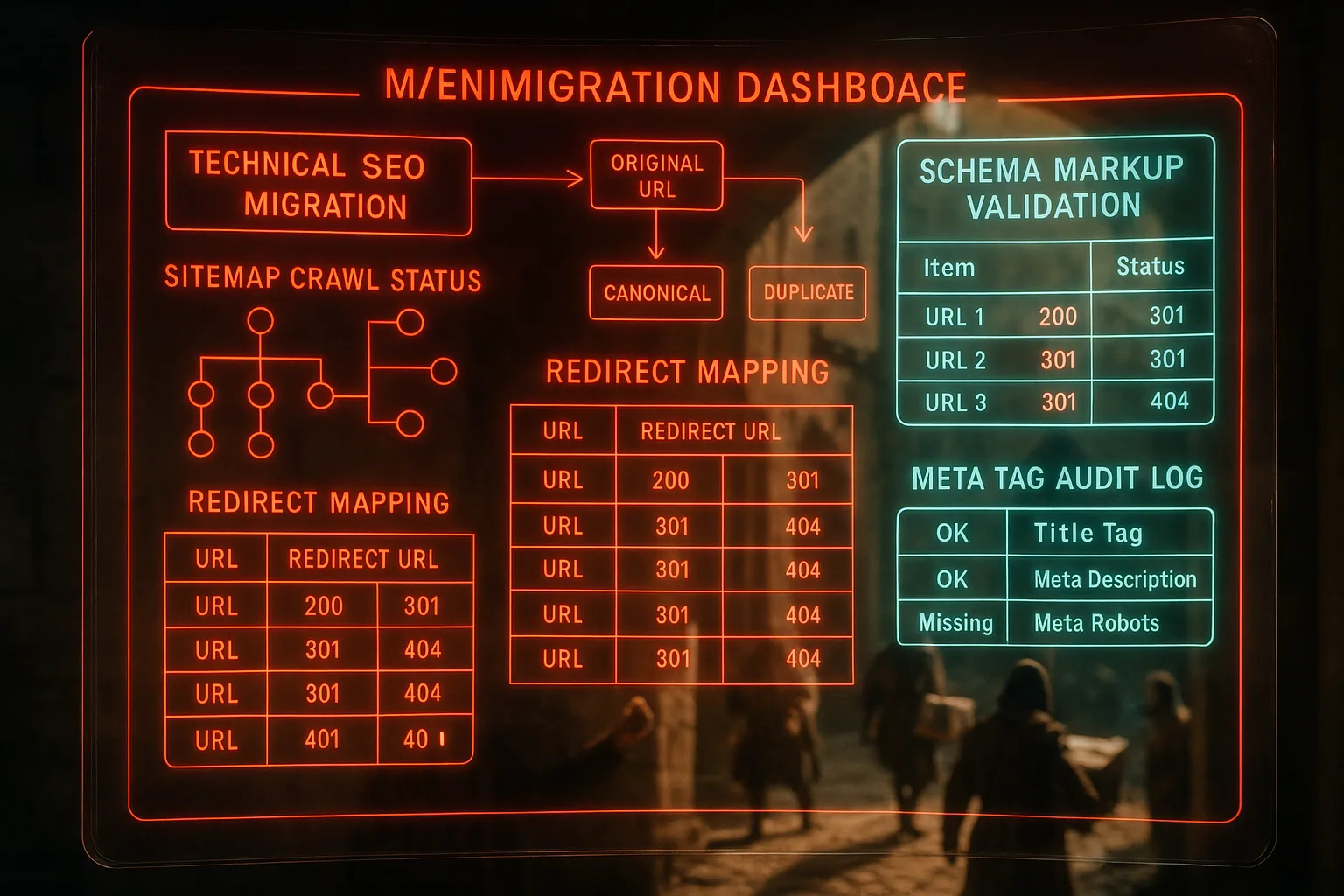
A migration to headless without an SEO checklist is one of the most reliable ways to lose rankings you've already earned. The traffic drop in the Dublin example at the opening of this piece is not unusual; it is the predictable outcome of a build treating SEO as an afterthought.
Before launching a headless site, check these seven items:
- Rendering strategy confirmed and tested with Google's URL Inspection Tool, a free Google tool letting you check exactly what Google sees when it visits a page.
- Meta titles and descriptions configured for every page template, not only the homepage.
- Canonical tags in place across all page types to prevent duplicate content issues.
- XML sitemap generated automatically and submitted to Google Search Console, Google's free tool for monitoring how your site appears in search.
- Robots.txt file configured to allow Google to crawl all content pages.
- All redirects from the old site mapped and implemented, so pages ranking before still pass their value to the new URLs.
- Schema markup implemented for the relevant content types: products, services, reviews, FAQs, and local business details where applicable.
A headless CMS isn't an SEO strategy. It is a technical infrastructure choice. The SEO work still needs to happen; it needs to be built into the platform rather than bolted on afterward.
A store raises the stakes, so headless CMS on an online store is worth reading before you move the catalogue.
The SEO answer often depends on the setup, which is why headless versus a traditional CMS is the comparison worth making first.
Closing reflection
The architecture of your website isn't visible to most of your customers. It sits behind the design, behind the copy, behind the pricing page they eventually find. But Google sees it before any of that, and the decisions made at the infrastructure level, such as how pages are rendered, whether schema is in place, and whether Google can read the content at all, shape where your business appears before a single customer types your name. A headless CMS can support excellent SEO or actively undermine it, depending entirely on how it is built.
You shouldn't have to discover a forty percent traffic drop three months after your developer declared the build complete. With Zahavah Studio you won't.
Contact Zahavah Studio to have your headless build reviewed for SEO before it launches, or to audit what may have changed after migration.
Most of the questions businesses ask about headless CMS SEO come down to two concerns: how much control do they lose, and how much can go wrong. The answers below address both directly.
Frequently asked questions
How much does headless CMS SEO affect your SEO efforts?
The effect can be substantial in either direction. A headless site built with server-side or static rendering, proper meta tag configuration, schema markup, and a correctly generated sitemap can outperform a traditional CMS site on most technical SEO measures. The same architecture built without those elements can result in pages Google never indexes, rankings disappearing after migration, and content Google cannot read at all.
The key factor isn't the headless architecture; it is the technical execution. Businesses moving to headless without an SEO plan in the brief tend to see drops. Those treating SEO requirements as part of the build specification tend to see improvements, particularly in page speed and structured data coverage. A developer who hasn't built for SEO before will need specific guidance on what the frontend must output, because none of it comes automatically. Budget for that guidance before the build, not as a remediation exercise afterward. The cost of fixing a headless site post-launch is significantly higher than getting it right during the build.
Is it hard to deal with performance and speed issues in a headless CMS build?
Performance issues in a headless CMS SEO build are generally easier to identify than in a traditional CMS, but they require developer involvement to fix. The most common cause is JavaScript bundle size: the frontend loads a large amount of JavaScript code before showing the visitor any content, which delays what Google and your visitors see. Tools like Google's PageSpeed Insights, a free tool showing what is slowing your page down and by how much, can surface these issues clearly.
Static site generation solves most speed problems by building pages in advance rather than on demand. For sites with dynamic content, such as stock levels, user-specific pricing, or real-time availability, a hybrid approach works better. The developer pre-renders the stable parts and fetches only the dynamic parts separately. This isn't a complicated pattern, but it does need to be planned. Performance in a headless build is a decision made at architecture stage, not something you tune after the fact. Your developer should be able to confirm the rendering strategy before a single line of frontend code is written.
Can you use schema markup with a headless CMS?
Schema markup works in a headless CMS, and in many cases it works better than in a traditional one. Schema markup is a type of code added to your webpage telling Google what your content is: a product, a review, a business address, or a frequently asked question. In a traditional CMS you typically add it through a plugin, which applies the same template to every page. In a headless CMS, schema is added directly to the frontend code and can be generated dynamically from your content fields, so every product page gets accurate schema drawn from its actual data rather than a generic template.
The practical requirement is your developer must write the schema into the frontend build. It won't appear automatically. For businesses with large content libraries, the headless approach is more reliable for schema coverage because one correctly built template applies to every instance. You can verify your schema is working correctly using Google's Rich Results Test, a free tool reading your page and showing exactly what structured data Google can see. Running that test on a sample of page types before launch will catch most schema gaps before they cost you visibility.
What is headless CMS SEO?
Headless CMS SEO is the practice of managing and optimising your website's search visibility when the site is built on a headless content management system. In a standard website setup, the content management system handles both storing your content and building the pages visitors see. A headless CMS stores only the content; a separate frontend application builds the pages. That separation gives developers significant control over performance and design, but it means every SEO element, including page titles, meta descriptions, schema markup, sitemaps, and canonical tags, must be built into the frontend rather than managed through a plugin or built-in tool.
The fundamentals of SEO don't change in a headless setup. Google still looks for relevant content, fast pages, accurate metadata, and clear structure. What changes is where the responsibility sits: with the developer and the build process rather than with a plugin. For business owners, the practical consequence is SEO requirements need to be written into the brief before development begins. A headless CMS built without that brief is a site likely to rank poorly despite excellent content, through no fault of the content itself.

Yvonne van Wyk
SEO Strategist · Zahavah Studio
Yvonne van Wyk runs Zahavah Studio, a Johannesburg SEO agency focused on long-term search visibility and AI citation. Her writing covers local SEO, content strategy, analytics, and the mechanics of how search works.
Everything on this blog is written to inform and educate. It is for information only. Nothing here is professional legal, financial, or technical advice. If you are making a significant business decision, speak to a qualified professional first. Zahavah Studio works hard to keep this content accurate and current, but is not liable for decisions made based on what you read here.